
Buying Guide
Buying a Used Phone in Srinagar? A 10-Step Checklist (IMEI, Battery, Face ID and More)
Published on
See QC-passed pre-used phones at Digi Kashmir
Last updated: 29 Oct 2026, IST
Quick answer: Before you pay for any second hand mobile in Srinagar, do these 10 things. (1) Dial *#06# to see the IMEI. (2) Make sure it matches the IMEI in the phone's Settings. (3) Check it with the government's Sanchar Saathi service: SMS KYM <15-digit IMEI> to 14422, or use the Sanchar Saathi app or sancharsaathi.gov.in. (4) On an iPhone, make sure Activation Lock is off. (5) On Android, make sure the seller's Google account is removed (Factory Reset Protection). (6) Check battery health. (7) Set up your own Face ID or fingerprint. (8) Look for water damage and past repairs. (9) Test the screen, cameras, speakers, mic and charging. (10) Get a sale receipt from the seller and know what they'll stand behind. The original box and bill are a bonus if they come with the phone, not a must. If any check fails, walk away.
A used phone can be a smart buy. In Kashmir, plenty of good iPhones, Samsungs, Pixels and OnePlus phones change hands every month. But a used phone also carries risks a new one doesn't: it might be stolen, still locked to someone else's account, running on a tired battery, or quietly repaired with non-genuine parts. You can't fix any of that after you've paid.
At our Lal Chowk store we sell pre-used & refurbished, premium-quality phones that pass our quality checks, and this is the checklist we'd want every buyer to use, whether you're buying from us, from a friend, or from a stranger who answered your post. Each step links to the official source it comes from (all checked 28 Oct 2026).
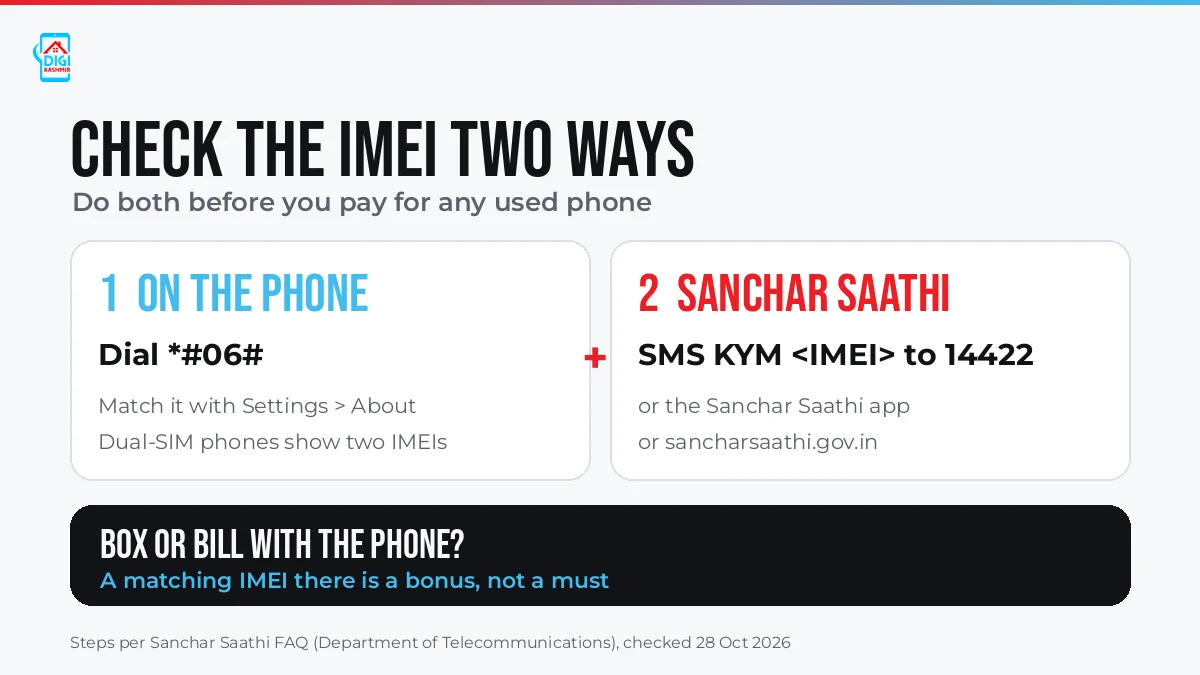
Check the IMEI two ways: on the phone itself, then with Sanchar Saathi. Graphic: Digi Kashmir.
Step 1: Dial *#06# and note the IMEI
The IMEI is the phone's 15-digit identity number. The Department of Telecommunications' Sanchar Saathi FAQ says you can dial *#06# on any phone to see it. Dual-SIM phones have two IMEI numbers, so write down both.
Do this yourself, on the phone in your hand. Don't rely on a screenshot or a number the seller reads out.
Step 2: Match it with the IMEI in Settings
Now open the phone's settings and compare:
- iPhone: Settings > General > About.
- Android: usually Settings > About phone (sometimes under Status or IMEI information).
The number in Settings should match what *#06# showed, digit for digit, for both IMEIs on a dual-SIM phone. If they don't match, don't buy the phone.
What about the box and the bill? If the original box or bill comes with the phone, check that its IMEI matches too. That's a useful bonus, but it isn't a requirement. Established dealers who source used and refurbished devices in bulk don't receive the original box and the first owner's bill with every unit, so a phone without them from a reputable store is perfectly normal. What matters is that the phone's own IMEI is consistent and passes the Sanchar Saathi check in Step 3, and that you buy from a seller who gives you a receipt and stands behind the device (Step 10). The one real warning sign: a box or bill that's offered as proof but shows a different IMEI from the phone.
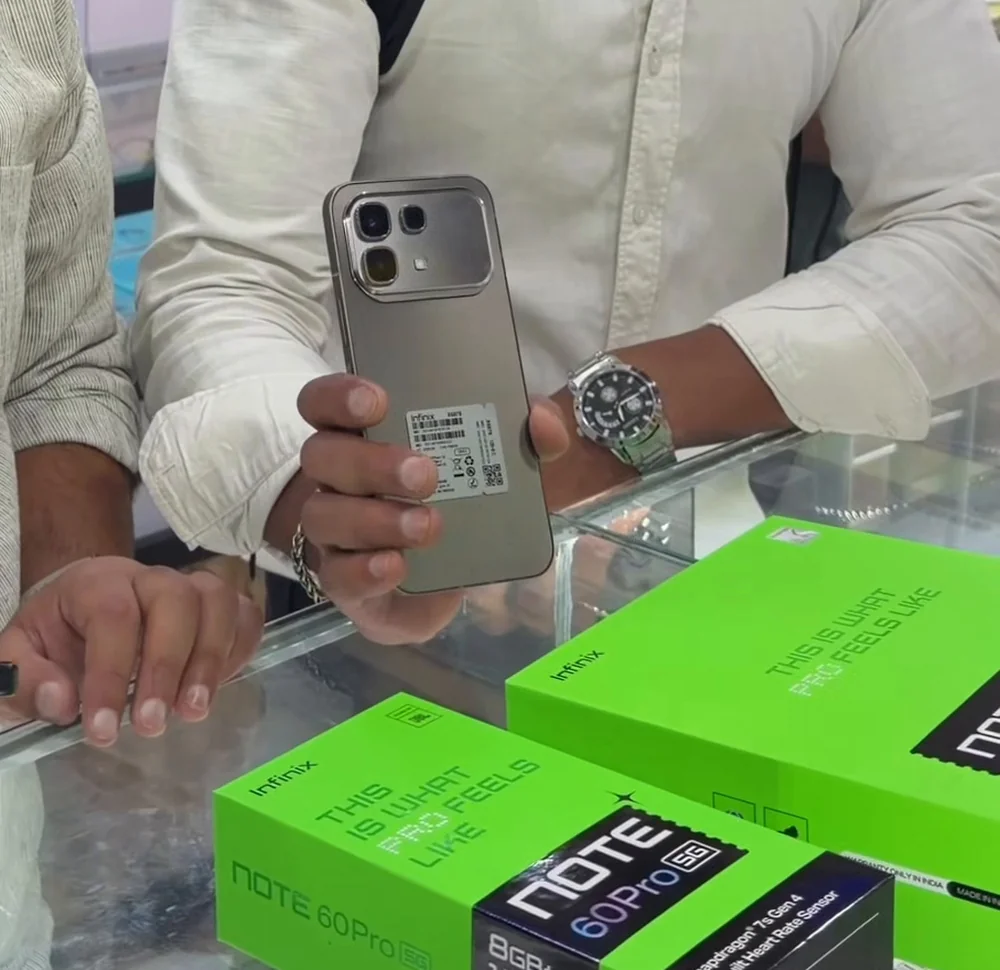
Some phones carry a printed IMEI label, but the number that counts is the one the phone itself shows with *#06# and in Settings. Photo: Digi Kashmir store, Lal Chowk.
Step 3: Check the IMEI on Sanchar Saathi (KYM)
Sanchar Saathi is the Department of Telecommunications' citizen portal. Its "Know Genuineness of Your Mobile Handset" service (KYM, Know Your Mobile) checks an IMEI. According to the official FAQ, there are three ways to use it:
- SMS: send
KYM <15-digit IMEI>to 14422. - App: download the Sanchar Saathi app from the Google Play Store or Apple App Store.
- Web: go to sancharsaathi.gov.in, open Citizen Centric Services, tap Know Genuineness of Your Mobile Handset, enter the IMEI and submit.
The FAQ says the result shows the manufacturer, device type, brand name and model number for that IMEI. If the result names a different brand or model from the phone in your hand, or flags any problem with the IMEI, don't buy it. Check both IMEIs on a dual-SIM phone.
Why this matters for stolen phones: Sanchar Saathi's "Block Your Lost/Stolen Mobile Handset" service lets an owner, after filing a police report, block a lost or stolen phone across all telecom networks in India. So a stolen phone isn't just a moral problem. It may simply stop working on your SIM.
Step 4: iPhone: make sure Activation Lock is off
Activation Lock is part of Apple's Find My. Per Apple's Activation Lock page, once it's on, the owner's Apple Account password is needed before anyone can turn off Find My, erase the iPhone, or reactivate and use it.
Here's Apple's own check before buying:
- Turn on and unlock the iPhone. If you see "iPhone Locked to Owner", don't buy it.
- If you see the passcode Lock Screen or the Home Screen, the phone hasn't been erased. Ask the seller to erase it in front of you.
- Start the setup. If it asks for the previous owner's Apple Account, it's still linked to them. Hand it back and ask them to sign out.
- The phone is ready for you only when you see the Hello screen.
Apple is blunt about it: "Don't take ownership of any used iPhone or iPad if it's protected by Activation Lock."
Step 5: Android: make sure the seller's Google account is removed (FRP)
Android phones have their own version of this, called Factory Reset Protection (FRP). Google's Android Help page explains that after a reset, a protected phone asks for the screen lock or a Google Account that was previously synced to it. It adds: "If you can't give this information during setup, you won't be able to use the device at all after factory reset."
So before you pay:
- Ask the seller to remove their Google account. Per Google, it's in Settings > Passwords & accounts (on some phones, Users & accounts or Manage accounts) > the account > Remove account.
- Then ask them to factory reset the phone in front of you, with Settings > System > Reset options > Erase all data, per Google's reset steps. Menu names vary by brand.
- Set it up yourself. If it asks for an account you don't recognise, stop.
Also ask the seller to sign out of any brand account on the phone, such as a Samsung or Xiaomi account.
Step 6: Check the battery health
A worn battery is the most common hidden cost of a used phone. Here's where to look, from each brand's official pages:
| Phone | Where to check battery health | Source |
|---|---|---|
| iPhone 15 and later | Settings > Battery > Battery Health. It shows maximum capacity and, on these models, the cycle count. | Apple |
| iPhone 14 and earlier | Settings > Battery > Battery Health & Charging | Apple |
| Google Pixel 8a and later | Settings > Battery > Battery health ("Normal" or "Reduced"; Reduced means below 80% capacity) | |
| Samsung Galaxy | Samsung Members app > Support > Phone diagnostics > Battery status (Normal, Weak or Bad) | Samsung India |
On an iPhone, Apple's battery page says iPhone 14 and earlier batteries are designed to keep 80% of their original capacity at 500 full charge cycles, and iPhone 15 batteries at 1,000, under ideal conditions. If the iPhone says "Unable to verify this iPhone has a genuine Apple battery", Apple warns that the health reading might not be accurate. On iPhone 15 and later with iOS 18, Settings > General > About can also show "Used" next to Battery, meaning a genuine battery that was previously in another iPhone.
Other Android brands show battery information in different places, and some don't show a health figure at all. In that case, charge the phone for 10 minutes and watch whether the percentage climbs steadily, and check that it doesn't drop fast under a video or a game.
Step 7: Set up your own Face ID or fingerprint
Don't just watch the seller unlock the phone with their face. Once it's erased, set up your own:
- iPhone (Face ID): Settings > Face ID & Passcode. Apple's Face ID help page says that if setup keeps asking you to position your face without continuing, or the camera isn't working, the iPhone may need service. On older models, test Touch ID in Settings > Touch ID & Passcode.
- Android (fingerprint or face unlock): add your own fingerprint in the security settings and unlock the phone several times.
If Face ID or the fingerprint sensor won't set up, ask whether the screen or front camera has ever been repaired, and check Step 8.
Step 8: Look for water damage and past repairs
Water damage on an iPhone: iPhones have Liquid Contact Indicators (LCIs). Per Apple, an LCI is normally white or silver and turns fully red after contact with water. Apple's page shows where the LCI is for each model; on iPhones with a SIM tray, you'll find it in the SIM-tray slot. Some newer models sold as eSIM-only in certain countries have no externally visible LCI. Apple also notes that liquid damage isn't covered by its one-year warranty.
On any phone, look for fogging under the camera glass, rust or green residue in the SIM tray or charging port, and a screen that sits unevenly in the frame.
Past repairs on an iPhone: go to Settings > General > About. Per Apple's pre-owned iPhone guide, on iOS 15.2 or later you may see a Parts and Service History section. "Genuine Apple Part" means it was replaced with Apple parts; "Unknown" can mean a non-genuine, used or incomplete installation. On the same screen, "No SIM restrictions" next to Carrier Lock means the iPhone isn't locked to a carrier.
Step 9: Test the screen, cameras, speakers, mic and charging
Give yourself ten minutes. This list follows Apple's own inspection steps, which work on any phone:
- Display: set the brightness to full and then to low. Open a plain white image and a plain black one to spot dead pixels, lines or burn-in. Drag an app icon slowly across the whole screen to check touch.
- Cameras: take photos with every rear lens and the front camera, in bright and low light. Tap to focus, then record a short video and play it back.
- Speakers and mic: play a ringtone at full volume, then record a voice memo and play it back. Make a real call and check that the other person can hear you clearly.
- Buttons: volume up and down, the side button, and the silent switch or Action button.
- Charging: plug in your own charger and cable, check the phone starts charging, and wiggle the cable gently. A loose port is a common hidden fault. If the phone supports wireless charging, test that too.
- Network: put your own SIM in, make a call, and check mobile data. Connect to Wi-Fi and Bluetooth.
Step 10: Get a sale receipt and check what warranty is left
- Buy from an established seller who gives you a sale invoice or receipt with the date, the price and the model, ideally with the IMEI written on it too. It's your record of where and when you bought the phone. A private seller who won't write anything down leaves you with nothing to fall back on.
- Check the original warranty. For an iPhone, enter its serial number on Apple's Check Coverage page. For other brands, use the manufacturer's own warranty-check page.
- Ask what the seller will stand behind. A private seller usually offers nothing once you walk away. A shop should tell you its return or warranty terms before you pay. If the phone has been refurbished, ask what was repaired or replaced.
Buying a used iPhone in Kashmir: the three checks that matter most
If you only remember three things for a used iPhone, make them these:
- Activation Lock is off. You reach the Hello screen and it doesn't ask for anyone else's Apple Account (Step 4).
- Battery Health shows a maximum capacity you're happy with, with no "Unable to verify" message (Step 6).
- Parts and Service History doesn't show "Unknown" parts you weren't told about (Step 8).
Used, pre-used or refurbished: what the words mean
Shops and sellers use these words loosely, and Verizon's buying guide notes that sellers may use these terms differently, so ask what a seller means. Broadly:
- Used or second-hand: the phone has had an owner before and is sold as it is. Bought from a private person, it's unlikely to have been tested or to come with a warranty.
- Pre-used or pre-owned: another way of saying the phone has had a previous owner. On its own, the word doesn't tell you whether it was tested or repaired.
- Refurbished: a pre-owned phone that has been checked, repaired where needed and then resold. A repair can mean a replaced part such as a screen or battery. Grades such as "A" or "B" follow no universal grading system, so they vary from seller to seller.
Is a refurbished phone a risk? The word "refurbished", or the idea of a past repair, puts some buyers off, but it usually works the other way. A phone sold as it is has only been checked as far as its last owner bothered to. A refurbished phone has been tested, and anything that was off, such as a worn battery or a cracked screen, has been fixed before it reaches you. So a properly refurbished phone from a seller who tells you what was done is often the safer choice. Just make sure any replaced part is a good-quality one, and run the checks above.
What does a "QC-passed" refurbished phone mean? QC stands for quality check. A QC-passed phone has passed the seller's own tests after any repair work. That's the seller's standard, not a government certificate, so ask what was tested and what, if anything, was replaced. On an iPhone, Parts and Service History (Step 8) shows replaced parts. Then run the ten checks above yourself. A good refurbished phone will pass them all.
How Digi Kashmir checks used phones
Digi Kashmir sells pre-used & refurbished phones that are premium-quality devices and pass our quality checks before sale. Our physical store at Lal Chowk means you can see and check the phone in person before you pay.
Like other established dealers, we source pre-used and refurbished phones in bulk, and bulk stock doesn't arrive with a box and an individual bill for every unit. Where we bought a phone locally, its original bill is available. Rather than rely on paperwork, we verify each device itself, and we point every buyer to the phone's own IMEI (*#06# and Settings) and the Sanchar Saathi check, which work whether or not there's a box. You're welcome to run every check in this guide on the phone at our counter before you pay. Every pre-used and refurbished phone we sell also comes with a 7-day replacement guarantee if a fault is found. It doesn't cover physical damage, liquid damage or unauthorised tampering. Every phone we sell is IMEI-verified and checked for active finance (an outstanding EMI or loan from a previous owner) before it reaches our shelves. When we buy a phone from a walk-in seller, we complete an Aadhaar-based e-KYC, and we record every purchase (with its e-KYC details) and every sale digitally, so each phone we sell has a clear, auditable history. As an extra layer of peace of mind, each one also carries a lifetime legal warranty: in the rare event that any legal question about a phone's history before our sale ever comes up, we'll replace it or refund you and handle the matter ourselves, so you never have to. Our terms and conditions have the full details.
Browse our used phones live inventory, or visit us at Gurudwara Building, Amira Kadal, Lal Chowk, Srinagar (Mon to Sat, 10 AM to 8 PM). Bring this checklist with you and run it on any phone you like.
FAQ
How do I check if a used phone is stolen in India?
Dial *#06# to get the IMEI, then check it with the Department of Telecommunications' Sanchar Saathi service: SMS KYM <15-digit IMEI> to 14422, use the Sanchar Saathi app, or go to sancharsaathi.gov.in > Citizen Centric Services > Know Genuineness of Your Mobile Handset. If the brand or model in the result doesn't match the phone, or it flags a problem, don't buy it. Phones reported lost or stolen on Sanchar Saathi can be blocked across all telecom networks in India.
What is the KYM number for checking an IMEI? 14422. Send "KYM" followed by the phone's 15-digit IMEI, per the Sanchar Saathi FAQ (checked 28 Oct 2026).
How do I find a phone's IMEI number? Dial *#06#. Dual-SIM phones show two IMEIs. It's also in the phone's settings (About phone, or General > About on an iPhone). If the original box or bill comes with the phone, it may be printed there too.
How do I check battery health on a used iPhone? Open Settings > Battery > Battery Health (iPhone 15 and later) or Battery Health & Charging (iPhone 14 and earlier). On iPhone 15 and later, it also shows the cycle count.
What happens if I buy an iPhone with Activation Lock on? You won't be able to set it up or use it without the previous owner's Apple Account password. Apple's advice is not to take ownership of any used iPhone protected by Activation Lock.
Can Google FRP be removed without the old owner? No. Google says that if you can't enter the screen lock or a Google Account previously synced to the device after a reset, you won't be able to use it. Make sure the seller removes their account and resets the phone before you pay.
Is it safe to buy a used phone without the box or bill? Yes, if the phone itself checks out. Dealers who buy used and refurbished devices in bulk don't receive the original box and the first owner's bill with every phone, so buying without them from an established store is common and perfectly safe. What matters is that the IMEI from *#06# matches Settings and passes the Sanchar Saathi check, that Activation Lock or the old Google account is gone, and that you buy from an established seller who gives you a sale receipt and stands behind the device. Be more careful with a private seller who has no box, no bill and no explanation.
What's the difference between a used and a refurbished phone? A used phone is sold as it is. A refurbished phone has been checked, repaired where needed and resold, sometimes with replaced parts, which often makes it the safer buy because problems have been found and fixed before sale. Grades and "QC-passed" labels are each seller's own standard, so ask what was tested or replaced, and run the ten checks in this guide yourself.
Do Digi Kashmir's used phones come with a guarantee? Yes. Every pre-used and refurbished phone from Digi Kashmir comes with a 7-day replacement guarantee if a fault is found. It doesn't cover physical damage, liquid damage or unauthorised tampering, so check the phone at the counter before you pay and keep your sale receipt. Every phone is also IMEI-verified and checked for active finance before sale, and carries a lifetime legal warranty: in the rare event that any legal question about its history before our sale comes up, we'll replace it or refund you and handle the matter ourselves.
Where can I buy a quality-checked second hand mobile in Srinagar? Digi Kashmir sells pre-used & refurbished, premium-quality phones that pass our quality checks, at its store in Lal Chowk, Srinagar. You can run all ten checks in this guide at the counter, and every phone comes with a 7-day replacement guarantee if a fault is found (not covering physical or liquid damage, or unauthorised tampering), plus a lifetime legal warranty: in the rare event that any legal question about a phone's history before our sale comes up, we'll replace it or refund you and handle it ourselves. Every phone is IMEI-verified and checked for active finance before it reaches our shelves, and phones we buy from walk-in sellers go through Aadhaar-based e-KYC, with every purchase and sale recorded digitally. Because we source our devices in bulk, as established dealers do, not every phone comes with its original box and bill, but every phone's IMEI can be verified right at the counter. You can browse our used phones inventory or message us on WhatsApp.
Final Take
A used phone is only a good deal if it's genuinely yours once you've paid. That means a clean IMEI, no Apple or Google lock, a battery you can live with, and a seller who gives you a receipt and stands behind the phone. Run all ten checks, take your time, and walk away from any seller who won't let you. A genuine seller won't mind.
See QC-passed pre-used phones at Digi Kashmir
Sources
- Sanchar Saathi, Department of Telecommunications (FAQ: *#06#, dual-SIM IMEIs, KYM by SMS to 14422, app or web, what the result shows, blocking lost or stolen phones; checked 28 Oct 2026)
- Apple: Activation Lock for iPhone and iPad (published 29 Apr 2026, checked 28 Oct 2026)
- Apple: If you want to buy a preowned iPhone (inspection steps, Parts and Service History, Carrier Lock; published 16 Mar 2026, checked 28 Oct 2026)
- Apple Support: iPhone battery health (Battery Health paths by model; checked 28 Oct 2026)
- Apple Support: iPhone battery capacity (80% capacity design targets; checked 28 Oct 2026)
- Apple: About genuine iPhone batteries (published 22 Oct 2026, checked 28 Oct 2026)
- Apple Support: Face ID help (checked 28 Oct 2026)
- Apple: Water and other liquid damage to your iPhone or iPod isn't covered by warranty (Liquid Contact Indicators; published 29 May 2026, checked 28 Oct 2026)
- Apple: Check Coverage
- Google Android Help: Help prevent others from using your device without permission (Factory Reset Protection; checked 28 Oct 2026)
- Google Android Help: remove a Google account (checked 28 Oct 2026)
- Google Account Help: preparing an old Android device (remove accounts, then reset; checked 28 Oct 2026)
- Google Pixel Help: Pixel battery health (checked 28 Oct 2026)
- Samsung India: How to check the battery status on your Samsung Galaxy phone (updated 8 Dec 2025, checked 28 Oct 2026)
- MoneySavingExpert: Refurbished phones, a guide to buying second-hand phones (what refurbished means, no universal grading system, private-seller risks; updated 28 Oct 2026, checked 28 Oct 2026)
- Verizon: Certified Pre-Owned vs. refurbished vs. pre-owned (definitions; "sellers may use these terms differently"; checked 28 Oct 2026)
- Digi Kashmir: about, terms and store details (quality checks, store address and hours; checked 28 Oct 2026) and terms and conditions (used-device warranty wording; checked 28 Oct 2026)
- Photo: Digi Kashmir store, Lal Chowk (frame from our own reel). Graphics: Digi Kashmir.